

PV String Monitoring with the Q3 Super Multi Box – String Monitoring for Large-Scale PV Systems
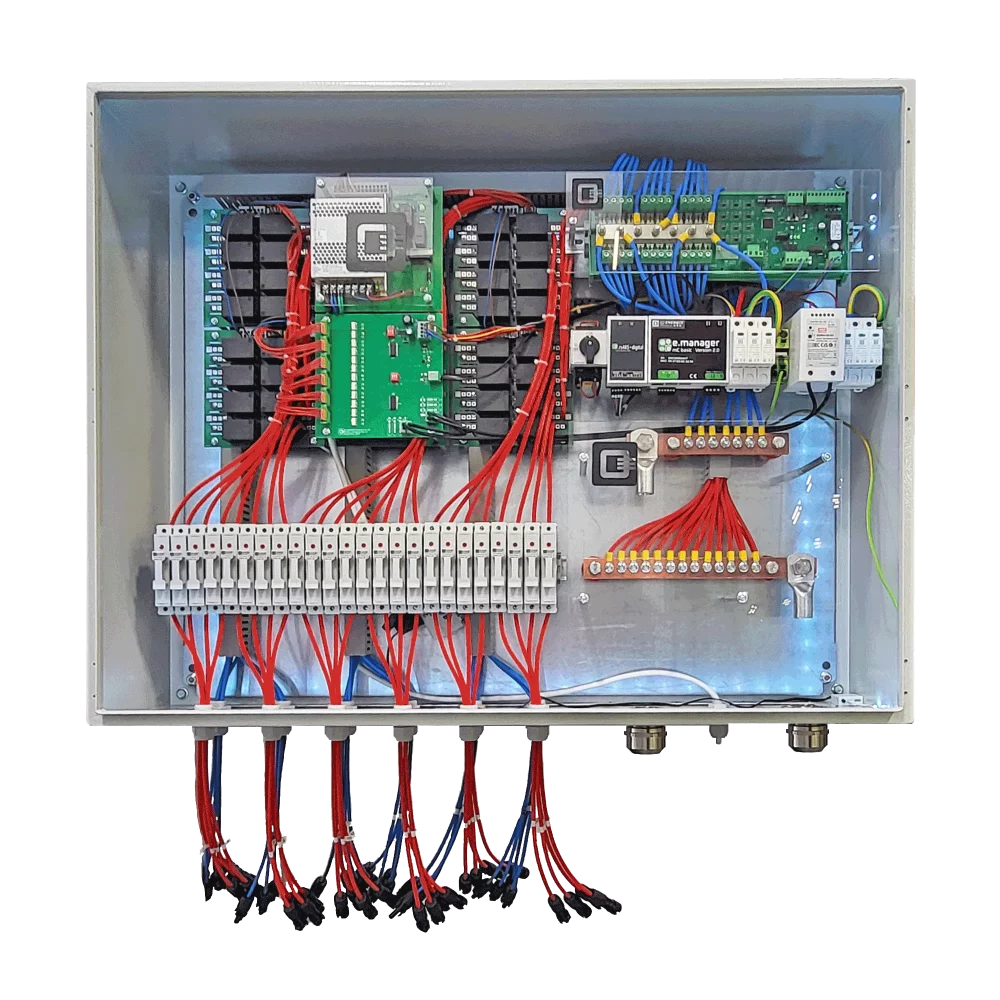
Keep every PV string in view – for maximum system availability. The Q3 Super Multi Box monitors up to 24 strings, detects irregularities at an early stage and enables fast analysis directly via the PV string monitoring web interface.
Q3 Super Multi Box Demo Dashboard | PV String Monitoring for DC-Combiner
Live demo of the web interface
The demo dashboard gives you a first impression of the PV String Monitoring functions of the Q3 Super Multi Box. The demo is based on a real test system and shows how individual PV strings, operating data and status messages are displayed in the web interface.
Access data for the PV String Monitoring Demo Dashboard
Username: Q3-Test
Password: Pi!oT#
The character after the “P” is an exclamation mark “!”, not a lowercase L.
Nach dem Login geben Sie rechts oben die Seriennummer ein:
ENDQ32025
Then click “Connect.”
After logging in, enter the serial number in the top right corner:
ENDQ32025
Then click “Connect”.
Note on the demo system
The demo dashboard is intended exclusively to demonstrate the user interface and operating logic. Switching functions may be displayed or simulated in the demo system, but no real switching operation is carried out.
The data is updated regularly. The historical data continues to grow as the demo system remains in operation.
The dashboard is based on a real test system and is used exclusively to demonstrate the web interface.
Explanation of the Demo Dashboard PV String Monitoring
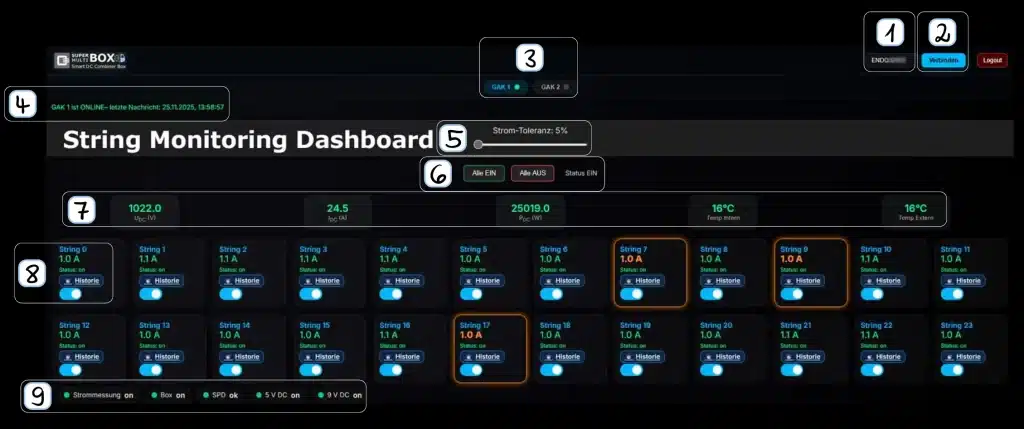
1
Enter serial number
Enter the serial number of the desired Super Multi Box in the top right corner. For our live demo, the serial number is:
ENDQ32025
2
Connect
Click Connect. The dashboard then loads the data assigned to the entered serial number.
3
Select DC combiner
This section shows the DC combiners or generator connection boxes installed in the system. In the demo system, two GAKs are available and can be selected individually.
4
Online/offline status
This display shows whether the selected DC combiner is currently online. It also shows the time of the last data update.
5
Set current tolerance
The current tolerance defines the deviation from which a string is marked as irregular. This makes it easier to detect uneven string currents at an early stage.
6
Switch strings on or off
These buttons can be used to switch all strings on or off. In the demo system, the switching process is only simulated and is not physically carried out.
7
Current operating data
This row displays the current operating values of the box, such as DC voltage, current, power and internal and external temperature values.
8
Individual strings
These fields show the individual PV strings. The current string current, status, history access and switching function are displayed for each string.
9
Status indicators
The status bar shows the most important operating states of the box: current measurement, box status, SPD status and the internal 5 V and 9 V supply voltages.
Please note:
■ The measured values are updated every 60 seconds.
■ Switching individual strings can be tested.
In demo mode, however, the switching command is not executed and remains in “Pending” status.
■ At very low currents below 1 A, the current tolerance fault detection may react more sensitively.
■ In GAK 2, string 1 is switched off on the hardware side.
■ The history continues to grow and shows real operating data from the demo system.
What is PV String Monitoring?
PV String Monitoring means monitoring individual PV strings within a photovoltaic system. Instead of only evaluating electrical values at inverter or generator connection box level, the values are recorded directly at string level.
This is particularly important in large-scale PV systems. If a single string fails, delivers too little current or shows unusual behavior, this often remains unnoticed for a long time in the overall system yield. The system continues to operate, but no longer at its optimum. This is exactly where the String Monitoring of the Q3 Super Multi Box comes in.
The Super Multi Box monitors the individual string currents and makes deviations visible. This allows faults to be narrowed down more quickly, maintenance work to be planned more precisely and unnecessary yield losses to be avoided.
In short: Instead of only noticing that “somewhere performance is missing”, you can see much more clearly which string is affected.
What are the advantages of the Q3 Super Multi Box?
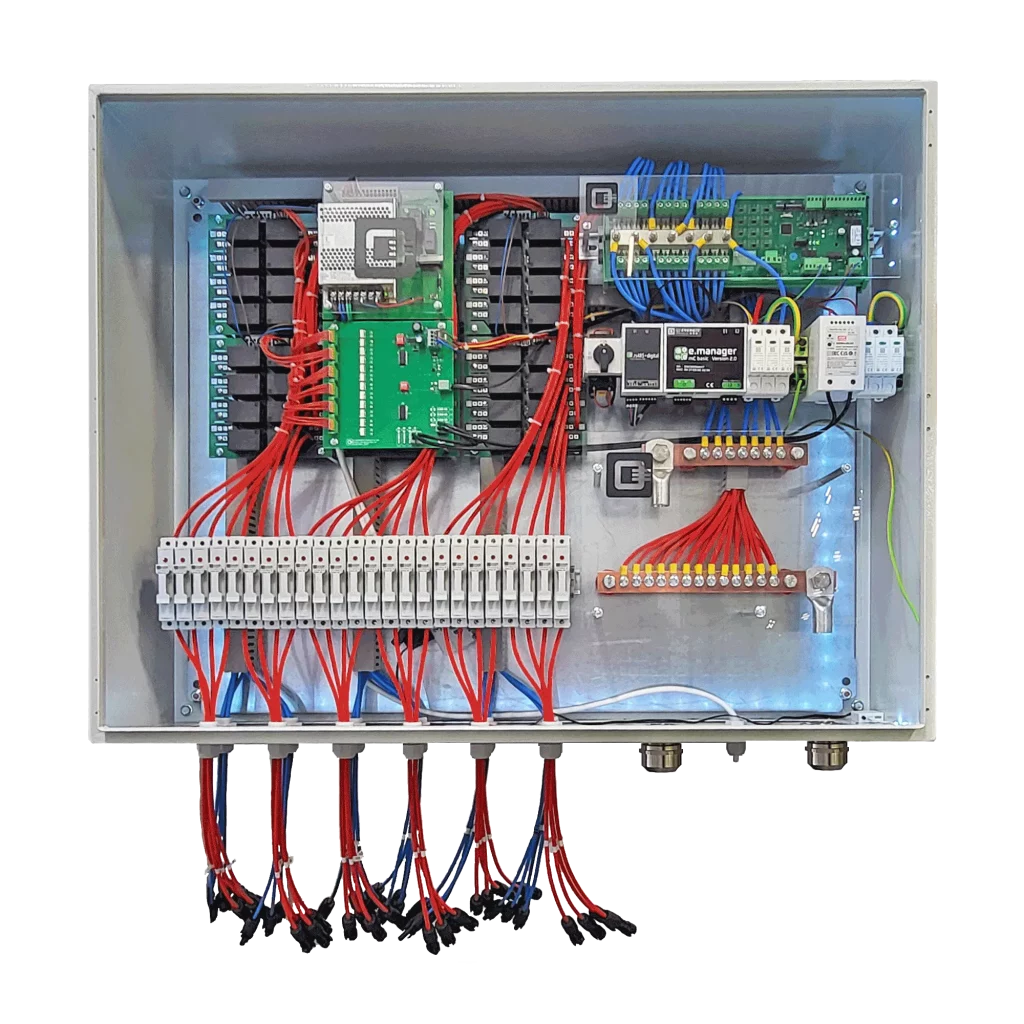
The Q3 Super Multi Box is more than a conventional DC combiner. It combines DC connection technology, protection technology, String Monitoring and intelligent fault analysis in one system.
The main advantage is transparency: the individual PV strings are not only combined, but also monitored. This means irregularities can be detected at an early stage before a small fault turns into a major system shutdown.
This is especially useful in systems with central inverters. Here, many strings are connected to one common DC input. Without String Monitoring, it is often only visible that the total output does not match expectations. With the Super Multi Box, the cause can be narrowed down much faster.
PV String Monitoring: key benefits
The Super Multi Box was developed for operators, EPCs, planners and technical asset managers who do not want to treat the DC side of their PV system as a black box. It shows what is actually happening in the field.
Which data is monitored by the PV String Monitoring system?
The Q3 Super Multi Box records the relevant operating data of the connected PV strings and displays it clearly via the web interface.
Depending on the system design and project configuration, the following information can be displayed and evaluated:
The measured values help to detect weak strings, switched-off strings, wiring faults, fuse problems or other irregularities more quickly. Especially at low currents or under changing irradiation conditions, a proper technical assessment is important. The data does not replace professional on-site inspection, but it provides a much better basis for fault analysis.
The system status can be viewed directly via the web interface. This makes the system suitable for commissioning, ongoing operation and technical asset management.
Why is PV String Monitoring important for central inverters?
In PV systems with central inverters, many strings are combined on the DC side. This is technically and economically useful for large systems, but it makes fault analysis more difficult.
If a single string fails, a fuse trips or one string delivers significantly less current, this is often not clearly visible at the central inverter. The central inverter only receives the combined DC current. The actual cause, however, is somewhere in the field.
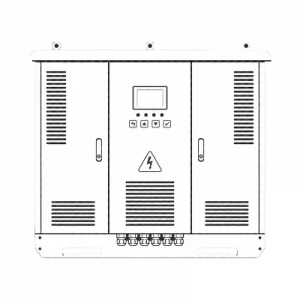
Without String Monitoring, this often means:
With PV String Monitoring, the DC side becomes much more transparent. The technical asset manager can not only see that a problem exists, but can also narrow down the affected area much more precisely.
This is particularly relevant for large rooftop systems, ground-mounted PV systems and utility-scale projects where many strings are operated in parallel. The larger the system, the more important a clear structure on the DC side becomes..
The Q3 Super Multi Box supports exactly this approach: record string currents, make irregularities visible and locate faults more quickly.
Frequently asked questions about PV String Monitoring with the Q3 Super Multi Box
Q3 DC Connection Technology
From classic generator connection boxes to customized DC combiner solutions: we design and manufacture DC connection technology tailored to string count, inverter concept, protection design and monitoring requirements.
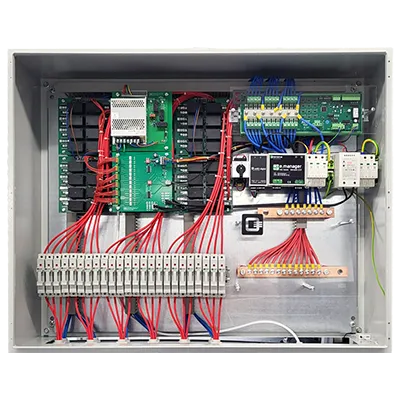
Q3 Super Multi Box
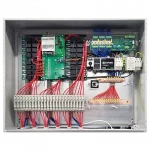
More than just a DC combiner: the smart Q3 Super Multi Box combines PV strings, monitors currents at string level and supports fast fault localization – especially for PV systems with central inverters and insulation fault requirements.
Request a Project

Planning a large-scale PV system or looking to improve monitoring on the DC side of an existing installation? Send us your project data – we will check string count, protection concept, interfaces and the suitable design.

Download Area

Datasheets, technical documents, certificates and further information on Q3 connection and safety technology are available in our download area – clearly structured and directly accessible. This section is updated regularly.